Categories
Geek Stuff Productivity Buster

Blu-ray is the New Vinyl

I thought the era of me having physical copies of movies in the house was over. I really liked the idea of all my digital copies accessible through AppleTV, and being able to access it all remotely from my laptop. I mean how cool is it to be able to go on vacation and just bring an HDMI cable, plug my laptop into any TV and have the equivalent of my old movie stack at home?

If you’re nerdy enough to be here you’ve heard all the arguements already about how streaming music is not like owning CDs and records. It’s the same with movies, with all of overcomplicated legal rights there’s always the chance that something will just vanish from the library.

With audio there’s been a resurgence of people buying turntables and vinyl records. Now there are daily online fistfights about sound quality and I’ve done some blind tests and I appreciate that some people feel vinyl sounds better, or that the click and hiss are part of making it “warmer” or “less digital” and if you want to throw your money that way, I’m happy for you having some fun.

One point here that doesn’t get enough credit is that I think the tactile experience is not talked about enough. Searching for a song on Spotify is convenient and the library is massive, but it’s nothing like going to some store or crazy flea market and digging around in crates to see what you can find. Negotiating with a seller, talking with other fans, looking at the giant dust jacket with art and liner notes on it. All of this is part of a hobby that people love. It’s cool to chase things and fun to take some time to sit down at home and experience listening to music.

Ultimately for me though, I don’t consider the actual sound much different with vinyl vs. CD vs. streaming. This is heresy to many, but it’s where blind testing has led me. Most people don’t care that much, and an even smaller group is willing and able to hear the differences.

Ok, all this setup to land on a day about a year ago where I was watching a Peter Gabriel concert in “4k” from a streaming service and thought “I remember this looking better? Why is this so crappy?” I dug around in the closet and found a Blu-ray disc of the show and it was eye opening. Both the sound and the audio were way better than what I was streaming. Sharper, more color, more bass, more detail. More everything.

And with this I fell into the rabbit hole… When 4k streaming arrived on Apple TV I thought “I can finally ditch all these DVDs and Blu-ray discs! The future is good!” So why did streaming look like trash?

4k means the image size is 3840 × 2160 (highest resoultion currently streaming, or ok 4k Blu-ray disks)

Blu-Ray is 1920 x 1080 so that’s only 1/4 of the pixels of 4k so it must look worse right? DVD at 720 x 480 is rubbish.

But there are a bunch of other factors that affect picture quality besides just the number of pixels. Without getting into a huge discussion about file compression, color, and the audio spectrum, the short version is that movies are a lot of data. A blu-ray of a 2 hour movie can be 60GB of data. Streaming companies are paying to push that data, so any way they can compress the file so that there’s less data to send, the more money they get to keep.

The other thing is that the image quality is also a factor of how big your screen is and how far you are sitting away from it. If you are very close then more pixels is always good, more pixels packed into the same space, the less “jagged” it looks. But the smaller the screen, the less the resolution makes a difference. Carlton Bale is the guy who publishes a graphic on this that you can check out if you want details. The takeaway for me was that on a screen under 100 inches diagonal, that you are 12 feet away from, there’s not a lot of difference between 4k and 1080p.

Now when the streaming service compresses the file it reduces the color and detail. And since very few listeners are on systems with a subwoofer they can cut off all of the low end bass (listening to explosions and action films on streaming takes all of the action out of it.)

So I started collecting blu-ray again. And I kept reading. If you get hooked you’ll start checking out thrift stores, antique stores and yard sales. There’s an interesting thing with this – many blu-ray discs come with a digital code so you can add the digital copy to your library, but there’s a chance the previous owner has already redeemed it or it has expired. It becomes chasing lottery tickets. My local antique store sells discs for anywhere from $2-10. There have been many times I was able to redeem a digital copy of a movies that is still selling online for $15 or more.

If you are having trouble filling in your collection I’ve become a big fan of DeepDiscount and Gruv. They have great selection and run sales all the time. They also email weekly about new releases and reissues as they come out. Walmart still carries discs and new releases drop on Tuesdays.

Ok, now to get even geekier: Blu-ray vs. 4k discs. I stick to blu-ray for a couple of reasons. First is that in the Bale chart above, 4k is not a huge improvement for my situation. Second is that there’s a whole lot of things going on as far as video formats such as Dolby Vision and others that could affect your out of the box experience. 4k may look no better or even worse than blu-ray depending on the player and how your TV is set up. Third is that there are a ton of cheap and inexpensive blu-ray players out there but 4k players are pretty niche. This along with the announcement that Sony is not going to do a physical drive on the next Playstation makes me feel that it might be more difficult to find inexpensive 4k players 5 years from now, and I’m happy with blu-ray that’s cheaper and has a larger secondary market.

There’s also another entire level of geekery around how the original film or digital copy is transferred to blu-ray or 4k. Every movie is different and you can lose way too many hours reading about transfers. The sounce for this is Blu-Ray.com. If you want taste the insanity check out the 15 different versions of The Terminator. The TL/DR – the intial release of movies around 2000-2010(ish) are not as good as when the technology improved so versions around 2010-2015) look and sound better.

Another issue with 4k discs is that many of these transfers include digital noise reduction and other tools to “improve” the image quality. Many fans have completely lost their minds and are looking for people to shame for this heresy. For Terminator 2 fans it’s generally agreed that you should get the newer blu-rays and skip the 4k. There are a lot of comparison shots on YouTube you can check out, of course these start fights too with people saying “your monitor is not calibrated correctly, yadda yadda yadda”

Oh, and transfer is just part of it, many versions have “Extras” – alternate endings, director’s cuts, behind the scenes features. 20th anniversary editions may add new interviews and looks back. That gets factored in too, maybe that middle version of T2 has the best picture quality but it has the happy ending people complain about. More stuff for fans to argue about.

And all that to get to: with running around checking bins, having long drawn out discussions about transfers and obscure variants, (limited edition dust covers or metal “Steelbook” cases), Blu-ray really is the new vinyl.

Categories
Daily Life Geek Stuff Productivity Booster

Building a Home Theater That’s Better Than The Average Movie Theater

Five years ago during covid I did my first home theater post on how to get set up for around the price of a good TV. After three years the sub $100 projector was starting to have some issues and there were other changes we wanted to make in the house so it was time for a nerd power upgrade! Everything execpt the sound system has been kicked up a level and while it’s a lot more expensive than version one, it’s reached the point that unless I am going to drive an hour to see something in IMAX, I’ve got all the local theaters beat.

So why to do this?

It has the same advantages of TV over the movies:

  • Pause when you want for bathroom or snacks
  • Watching movies over two nights lets me screen a lot more
  • Picture is better and as loud or quiet as I want, headphones are also an option
  • You can stop watching a bad movie whenever and don’t have to feel you wasted a trip for it

Ok, so what’s the latest gear?

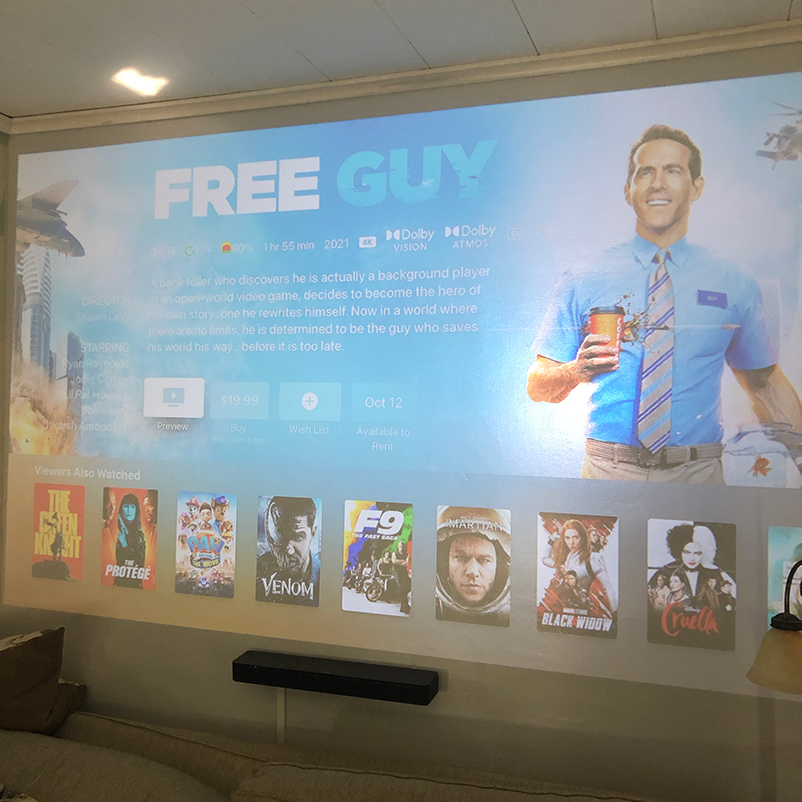
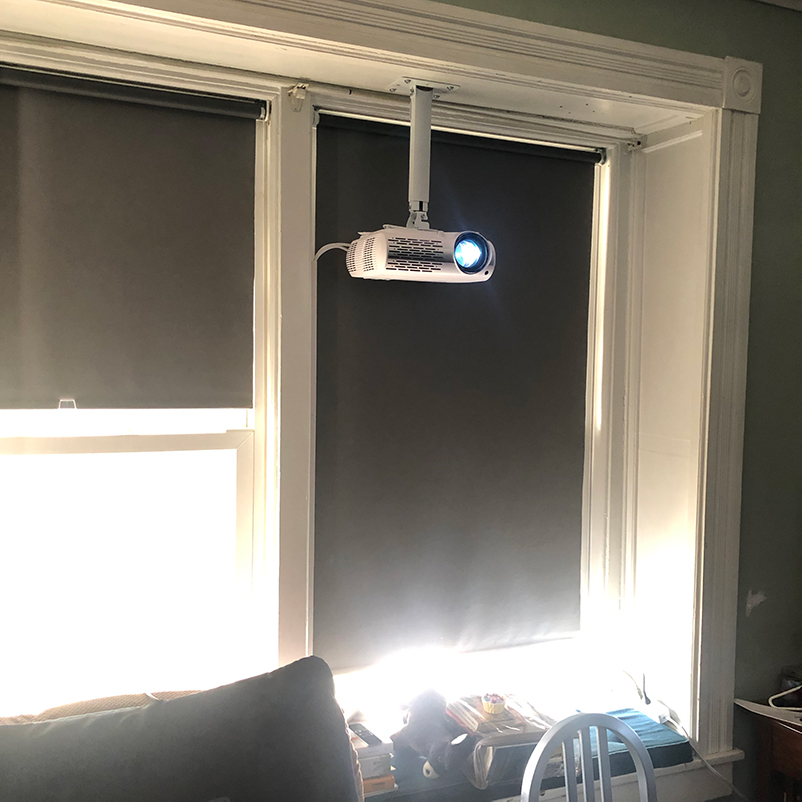
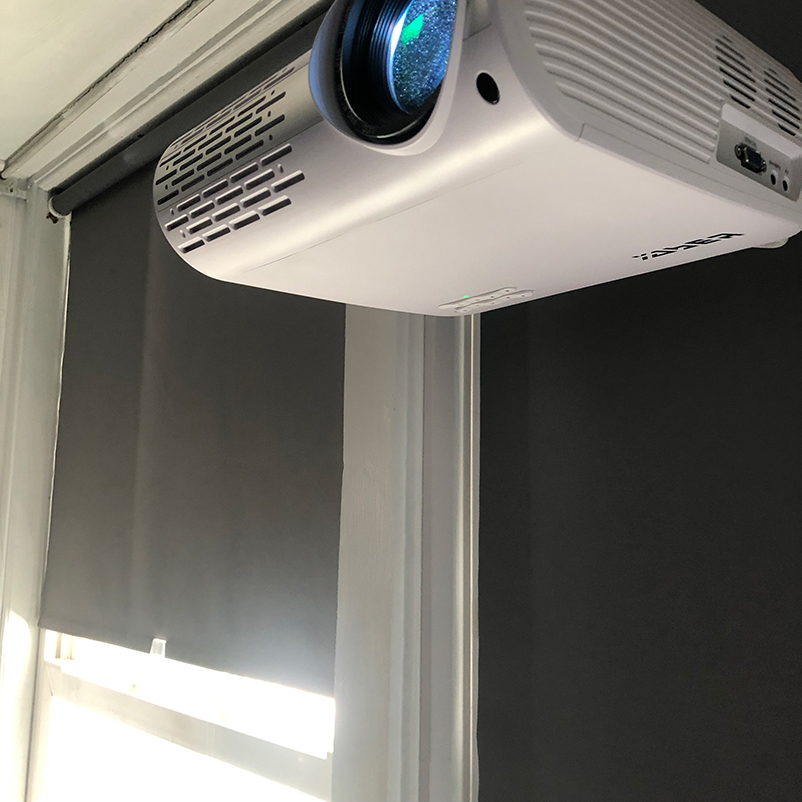
The projector: The laser projector is an exponential jump up in brightness, sharpness and detail. It just looks amazing. The Anker Soundcore Cosmos Nebula 4k SE (not the best product name), Amazon currently sells a refurb for $800, you can get new from the Anker site for $1,000. I got it pre-inflation with an upgrade deal for $900 almost 2 years ago, I bit the bullet on the price after making the mistake of trying a projector that still used an old school bulb (last generation tech that wasn’t as good as the budget LED projector it replaced), and a 4k LED from a now discontinued line of Nebula projector. Laser clearly beats LED.

A bunch of the problems of the past like keystoning (the image not being perfectly square) or being out of focus are now all solved and the picture straightens it self out automatically on startup. Simple and looks great.

If you don’t want to pay that much for a projector Yaber still has a great 1080p model for $350.

The screen: This is the other huge leap forward. Our ancient farmhouse has plaster and lathe walls (read “nowhere near smooth”). I also made the mistake of painting it with a semi gloss so there were some hot spots. In moving to the new room (we swapped the Living and Dining rooms), we repaired the new wall with sheetrock so it’s perfectly smooth. I used a flat gray this time and it’s just perfect.

I did not order a special projector paint. You can pay anywhere from 70 to hundreds of dollars for paint, some with silver in them. I did a lot of research and results were mixed. Between the price and the odds of having a broken or open container of paint show up at your mailbox, I decided to try a paint that gets a lot of love in the AV Forums that can get made up at any Home Depot.

For $32 I got two quarts and did the whole room: Home Depot Color: 770E-2 | Silver Screen. Ultra Pure White Flat Low Odor Interior Paint & Primer. I ordered the Behr Premium Plus Flat Matte. Maybe some day when I have too much time and money on my hands I’ll try different paint (and the hardcore insist you need to be spraying it on), but I love what I’ve got right now.

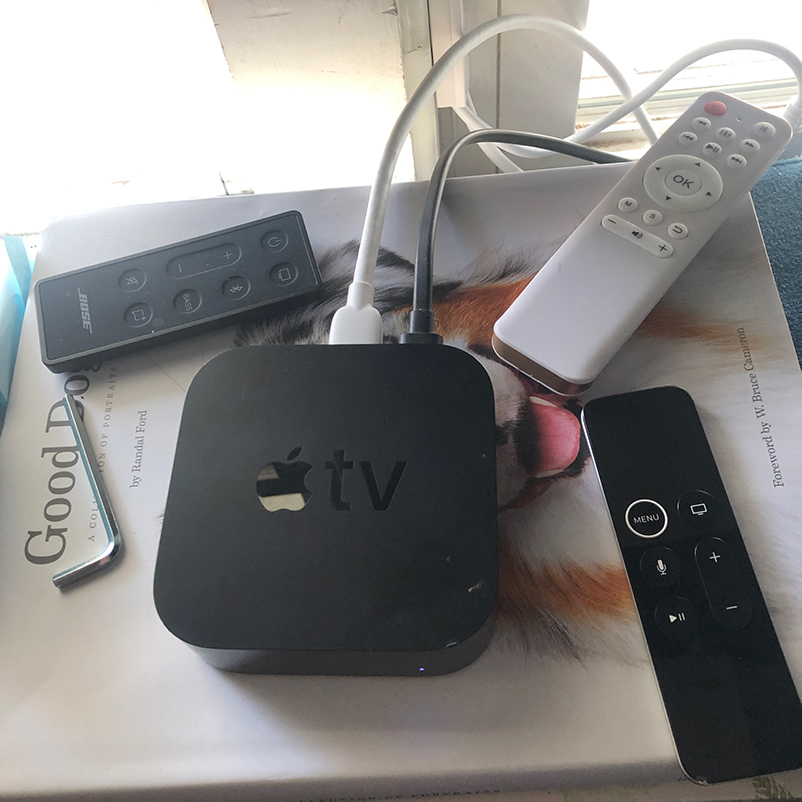
The media: AppleTV is still the streaming king. Which might explain why the price hasn’t gone down in five years. I’ve found the picture quality to beat other streaming boxes, and I like that it has a wired internet connection to reduce drops.

Upgrading to a 130 inch screen also showed me new limitations in streaming. I noticed that the “4k” stream didn’t look as good as the same movie that I had as a blu-ray disc. This led me down a rabbit hole that I will write about separately, but the short version is: streaming services have a financial incentive to try and send as little data down the wire to you as they can. They need to compete with the other services, but overall, none of them will push you as much data as you can get off a disc. It’s noticeable in the color and detail, and in the soundtrack (the missing bass is obvious).

That gave me the excuse I needed to buy a Sony PS5. My local warehouse club had a good price and I scrambled to buy one in front of TarriffMania tm. It plays Blu-Ray and 4k Blu-Ray. It does have all the streaming services but I found they were not as good as on AppleTV. Note, for reasons beyond the nerd level of this post, it’s not worth the extra money to buy 4k Blu-Ray given my screen size and distance sitting from the screen.

This also opened up all the video game options which are amazing. Fortnite has become a staple for weekend fun, Resident Evil and Spider-man also look incredible. It adds the wrinkle of occasionally having to kick my son off so the rest of us can watch something as he has a TV over in the play room.

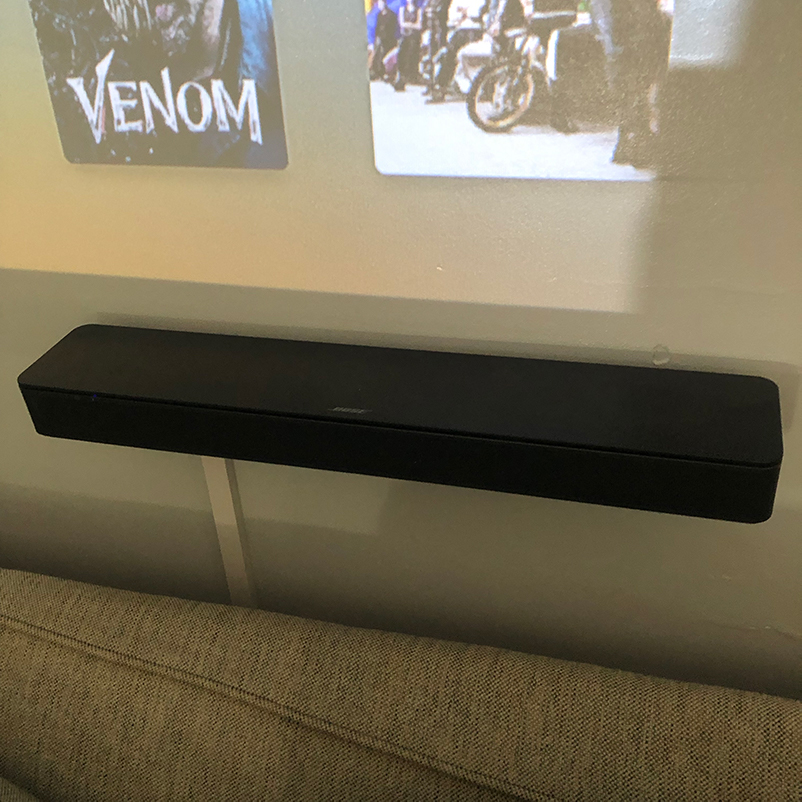
Sound: I am still using the Bose TV Speaker. For an 18×18 room it’s enough sound and I got it for less than $150 years ago. Originally I got it because it was cheap and has bluetooth, I am not running any wires for speakers if I can help it. The Bose TV Speaker 2 is now available for $300 if you are looking for a no headache answer. I did level up though by adding a Sony Subwoofer and it’s a complete game changer. Everything booms now. It’s a little wonky though, I had to solder together a cord to connect it to the Bose speaker. They have it set up so that normally you can only connect a Bose subwoofer because the cable is looking for an extra wire carrying power confirm it’s on. After digging around on Reddit I got the specs and made the cord and it’s worked fine for years. I’m happy to help anyone but I will not make them, I’m constantly checking mine to make sure I’m not going to burn down my house.

If I were building from scratch now I’d go to the warehouse club, you can check Wirecutter to verify the brands that are ok but for $200 you can get something that sounds great with a subwoofer and bluetooth if you have the same aversion to wires everywhere that I do.

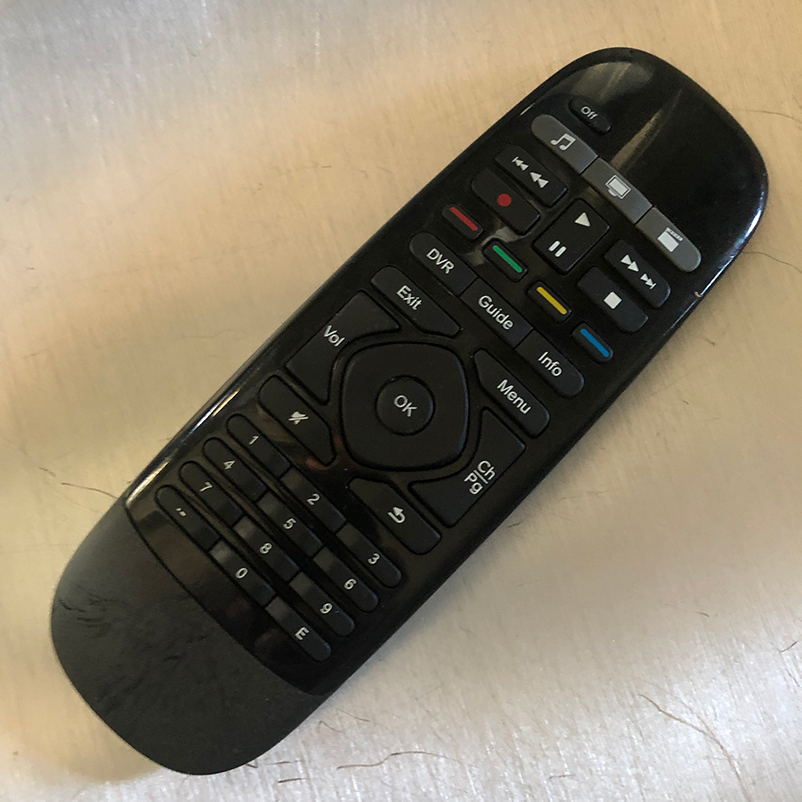
Remote Control: This is one area that has surprisingly gotten worse. Logitech has end of lifed the Harmony remotes so once I had some buttons fail that was the end of the road. You’ll notice that the $70 Sofa Baton looks like a twin of the last Harmony Remote. Mine works ok but I tend to reach for the Apple Remote or a PS5 controller. This is all currently a sore point as people occasionally get stuck not being able to get something to work. The problem with the sofa baton is you have to choose what remote it is with a click wheel. So I want to move around in AppleTV, click to Apple, push some buttons. Adjust the volume? click to Projector, push some buttons. Forget to click? It’s not going to do what you want. I need to read more about programming the Sofa Baton but that’s maybe item #3,287 on my prioritized to-do list.

Oh, and one more thing: This winter I finally said I am so sick and tired of running on the treadmill that I had to change it up. I got an excercise bike and run Zwift on the AppleTV. Instead of smelling my local gym I am now doing virtual bike racing through Europe for the winter. With the huge screen it’s as good as any video game. I’ll write more on that later too.

Good luck!

Categories
Geek Stuff Productivity Booster

Tech Gift Guide 2025

Happy Holidays! As Family CTO I’ve been putting this list together every year so when I get tech questions over Thanksgiving I just send this link. Hopefully it helps you too. Feel free to send me any suggestions or questions, I’m johnjwall on Instagram and Threads.

Easy Gifts

Here’s cheap and thoughtful for situations where the phone flashlight is not going to cut it (or you want to be using your phone battery for other things than light.) The Olight Arkfeld Ultra 1300 lumens manages to be both stylish and nerdy at the same time, and comes in a bunch of patterns and colors.

Olight Arkfeld Ultra 1300 lumens

Aura frames are the best digital picture frames I’ve ever used. Their app is so good that everyone in our family can use them and share pictures. It’s wonderful to get all the great stuff off your phone where there are never seen so you can enjoy them. As the curtain falls on the school play you can push photos to your home and grandma over on the other side of the country. The Carver is on sale for $139.

Leatherman multi-tools are a great option for difficult-to-buy-for people. The Skeletool is on their list of gifts under $100 and comes in a variety of colors. A great company out of Oregon, you can learn more about them from my interview here.

Leatherman Skeletool

UPDATE: Apple Watch bands from Freestyle USA

Their Shark Clip band can get wet, easily adjusts to any size and comes in a bunch of crazy colors if you want more than their basic black (which also looks great.) The Shark Leash double velcro closure is also perfect fit but I don’t recommend it if you live in a cold climate where you’ll be wearing sweaters or jackets that will catch the velcro. I have a bunch of dressier bands (with Spidel being my personal favorite) but for comfort and swimming/sauna, Shark Clip is my daily go to.

My other easy suggestion here is a gift certificate to a favorite restaurant or business. Support your local community and send one less thing to the landfill.

TV and Home Theater

Everyone here is still in love with the projector setup built during Covid lockdown. That full story is here (but needs updating!) if you want the full nerd story of speakers, streaming devices and disc players.

You can get started with a 1080p projector, one similar to my first is now only $73. This is a great way to figure out if you can make this work without spending a ton.

I upgraded projectors again this year, Cosmos’ 4k SE has an amazing picture that’s brighter and sharper than anything I’ve found under $1,000. Black Friday deal of $845 is less than the early bird upgrade I got it for.

Update (Black Friday): If you aren’t afraid of buying a refurb this projector is on sale and has a $150 coupon for an unbelievable $600

If I can’t sell you on home theater get a TV at your local warehouse store so you can see it and return it easily.

Phones

I recommend Apple because I’d rather pay more and do less user support. I’ve got nothing against Android or PC, but my primary goal is to do as little user support as possible. I’m not recommending the Apple Sock thing (shocker). Not a lot new in phones this year, I’m not sure what to say about the Apple phone holder/sock/whatever-that-is but I’m not buying any.

MagSafe, the iPhone feature where magnets can attach to the phone allowing you to wirelessly charge, mount in the car with no work, or add a PopSocket are all great options (updated for this year.)

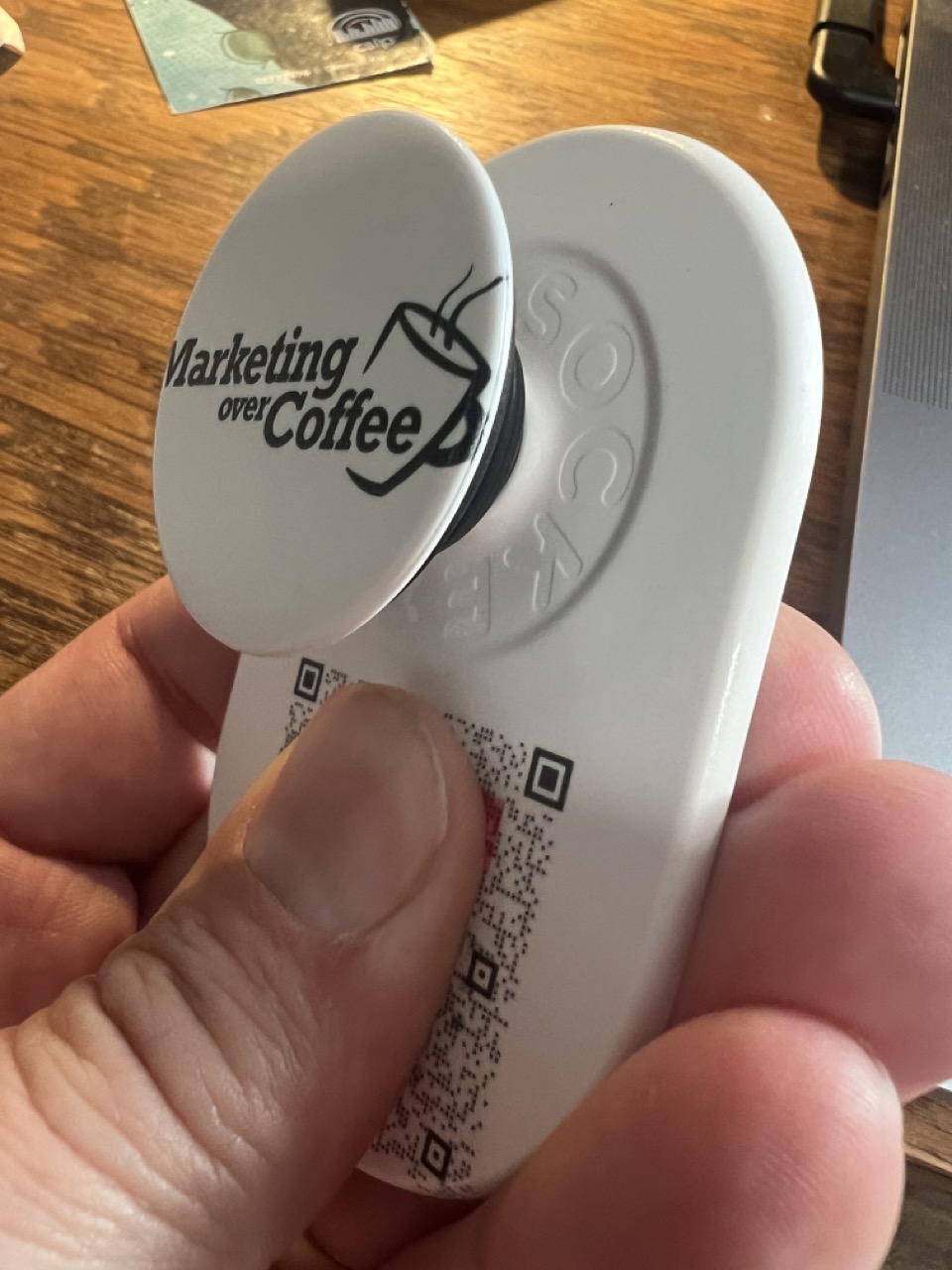
If your can handle computer graphics there’s a lot you can do with custom PopSockets, the QR code is my Trust Insights business card so no more wasted paper or running out. I gave Carin one with family photos on it.

Custom MagSafe PopSocket

I’m loving the iPhone nightstand clock mode and have replaced my alarm clock with a charging station, a great gift under $50

Earbuds

Fit is everything here, if you’re buying for someone make sure you have return options because it doesn’t matter how much you spend, if they are painful to wear it’s a miss.

Beats Fit Pro are still my earbud champions but have just been upgraded to the Powerbeats Fit. I recommend those or AirPods for most because the Apple hardware means a more solid connection, more features, less weirdness. I do have a set of Status Pro X which are the best sounding ones I’ve found if you have an audio fan in your life. After that you can check out Sony, they are always solid.

Bluetooth Speakers

Wonderboom 4 is $60, portable, waterproof, and you can get a second to pair in stereo. For the house Klipsch’s The One sounds wonderful and last year my warehouse club had them for an amazing $149. If you are an audio nut, we spent way too much last year when I got Klipsch’s The Fives and a subwoofer, but I enjoy fantastic sound every night while cooking dinner. The Fives have been discontinued, the best option now are The Sevens.

Podcasting

For podcasting I love my RodecasterProII, but you can now get the Duo which is smaller and has all the features I need so I may do the eBay downgrade at some point to get some desk space back. For microphones I still love the VModa boom best, but with wired headphones slowly vanishing for everyone except hardcore audiophiles, I’ve stopped making Sony 7506 mods and use Beats Fit Pro for day to day, and recommend Shure SM7B for the office/studio.

Music

Nothing new this year, I continue to be all in on Spotify which has just added both lossless files, and the ability to mix. Spotify – please add me, I’ve got a bunch of holiday and other playlists, feel free to send me your info. Carin loves Spotify on CarPlay.

If you are into DJing or setting up online listening Turntable is back after being gone for nearly a decade. If you want to throw a virtual holiday party this would add the music.

Eyewear

If you have anyone that needs glasses there are two interesting things: I like Maui Jim sunglasses for the beach/running and they are great for boating/fishing. They now come in readers. The other thing is being able to make ski goggles (or any other glasses) bifocals for less than $25. I have just refused to pay the $400+ for prescription goggles because that would just guarantee they would get lost/stolen/broken, nevermind the fact that they get used maybe 5 times a year. Add the lens in the reading zone and boom, I can see my phone again when trying to find my kids.

Organization App

Trello is a great tool for managing your holiday tasks. Create a card for each person or task that you have to take care of, and I have three columns: Parking Lot which is where the cards stay and during the year as I get gift ideas I can add them to the checklist for that person, In Progress for the items that I am currently working on completing, and finally they rest in Done.

Video Games

When I upgraded to a 4K projector it made sense to get a PS5 so I can still play Blu-Ray, and and now 4K Blu-Ray. I need to do an entire other post on this because I’ve really gotten into Blu-Ray since I found out that streaming 4K can be a wide variety of content and some of it looks garbage on a 120 inch projected screen. More on that to follow.

The Nintendo Switch is still strong here, especially with H interested in the latest open world real time combat Pokemon game now out. For more on Switch my previous post on that hasn’t changed. When I don’t know where to look I start at GameSpot.

If you play Fortnite check in with me, PhilDunphey247

Computers

Chargers have changed as we now have more USB-C devices, Apple Watches, and earbuds. My Mophie travel charger was a great price at my warehouse store and Carin commented on how sharp it looks. Unfortunately maybe it was warehouse only because I can’t find it online. The closest I can get is here.

Nothing new this year (blessings to my wallet for a change.) Macs are great for people that don’t know what they are doing, I’m so excited not to be Anti-Virus police for my family. But if you have any gamers or people who want to venture outside the controlled garden, you may be PC shopping.


For better Zoom Calls and Google Meet check out Plexicam. It’s not a true teleprompter, it’s a clear bracket that lets you hang your webcam on the center of your monitor. It’s less expensive than a teleprompter, and is a lot less stuff to be moving around and have on your desk. If you do a lot of web meetings you need this.

Plexicam

Car

Over the past two years I’ve been messing around adding CarPlay to older vehicles. For $115 our crappy Honda Civic can do all the stuff. I’ve had good luck with this one from Carpuride. Adding a backup camera is not a trivial task, or for the weak of heart if ripping your car interor out is not your idea of a fun weekend. But, that said, a 4k backup camera looks amazing.

If you’re even more of a dork, I added a spare tire subwoofer to our Honda CR-V. I need to do a whole post on that, you need to be ok with the fact that if you screw it up your car could be destroyed in a fiery blaze. If you’re that kind of warranty buster I must say that I get a huge stupid smile when the music is bouncing.

Happy Holidays!

The only other thing I can plug is that for home improvements if you can do some light electrical and plumbing, getting a bidet seat is a game changer. Imagine skipping the next toilet paper shortage entirely. Your big box hardware store has them starting around $40 but if you want to get the Ferrari of the toilet world click here.

Ok, I have shopping to do! I’ll update this as things change, and I hope you have a restful holiday!

Categories
Geek Stuff

Holiday Guide 2023

Back again with the list for all the family CTOs out there. I’ve been putting this list together every year so when I get tech questions from the family over Thanksgiving I can just send them this link. Hopefully it helps you too, feel free to send me any suggestions!

Easy Gifts

I’ve been doing more and more with MagSafe, this is the iPhone feature where magnets can attach to the phone allowing you to wirelessly charge, mount in the car with no work, or add a popsocket.

I’ve also switched to using my phone as my alarm clock so that opens up chargers as gift ideas.

I use this popsocket at events, the QR code is my Trust Insights business card so no more wasted paper or running out.

Popsocket

If you have anyone that needs glasses there are two interesting things: I like Maui Jim sunglasses for the beach/running and they are great for boating/fishing. They now come in readers. The other thing is being able to make ski goggles (or any other glasses) bifocals for less than $25. I have just refused to pay the $400+ for prescription goggles because that would just guarantee they would get lost/stolen/broken, nevermind the fact that they get used maybe 20 times a year. Add the lens in the reading zone and boom, I can see my phone again when trying to find my kids.

Organization

Trello is a great tool for managing your holiday tasks. Create a card for each person or task that you have to take care of, and I have three columns: Parking Lot which is where the cards stay and during the year as I get gift ideas I can add them to the checklist for that person, In Progress for the items that I am currently working on completing, and finally they rest in Done.

TV and Home Theater

Everyone here is still in love with the projector setup built during Covid lockdown, that full story is here.

It’s interesting, maybe it’s the current chip shortage but the original projector I installed has not dropped in price since last year. It’s 1080p and as of today is $229.

I have a savings account that receives the cash when I sell stuff on eBay and this year for my birthday I decided I was going to try a 4k Projector. I got a good deal on a BenQ TK850 and quickly learned that you should not be looking at anything with an old school light bulb in it. It was nowhere near as bright as my $229 1080p projector but the good news was I was able to flip it on eBay, breaking even after shipping and fees.

Nebula was recently acquired by Anker and I was able to get this Nebula Cosmos Max for under $1,000. My jaw just dropped when I saw that it’s gone up to $1,395. One thing, the first one I got was defective and I had to return it so I was very glad that I bought it from Nebula directly. I also added a subwoofer to the setup, that was a crazy McGuyver job that I won’t go into here but will update my home theater post, or feel free to ask me about it on Threads if you want to nerd out.

The end result is that the picture is much sharper at 4k, it’s worth doing. It’s still not as bright as the 1080p, in mid light scenes but anything outdoor or with special effects looks amazing.

Video Games

The Nintendo Switch still rules the house here, my previous post on that hasn’t changed. H Bomb has been using an old PS4 and playing Spiderman Miles Morales and Star Wars Fallen order, both of which are a ton of gaming for around $20. Sorry, but I’ve got no Xbox or PS5 tips. When I don’t know where to look I start at GameSpot.

If you play Fortnite check in with me, PhilDunphey247

Computers

Last year I took the gutpunch of laptop upgrades, this year, thankfully, there will be no hardware under the tree. Just the standard opinion here: Macs are great for people that don’t know what they are doing, I’m so excited not to be Anti-Virus police for my family. But if you have any gamers or people who want to venture outside the controlled garden, you may be PC shopping.

Marketing Over Coffee fan Jennifer N. said she’s getting an Elgato Teleprompter. This reminded me that I’ve played with a couple of them and finally settled on a Plexicam. It’s not a true teleprompter, it’s a clear bracket that lets you hang your webcam on the center of your monitor. It’s less expensive than a teleprompter, and is a lot less stuff to be moving around and have on your desk. If you do a lot of web meetings I can heartily recommend it.

Audio Gear

Beats Fit Pro are still the earbud champions but one interesting note – I have been able to find some Jabra 75T earbuds for less than $30 and I was finally able to side by side test. The Beats are better for sports, better bluetooth connection, better for calls, better noise cancellation BUT even though the Jabra loses in most categories… the music is just a little bit better, and it has an EQ.

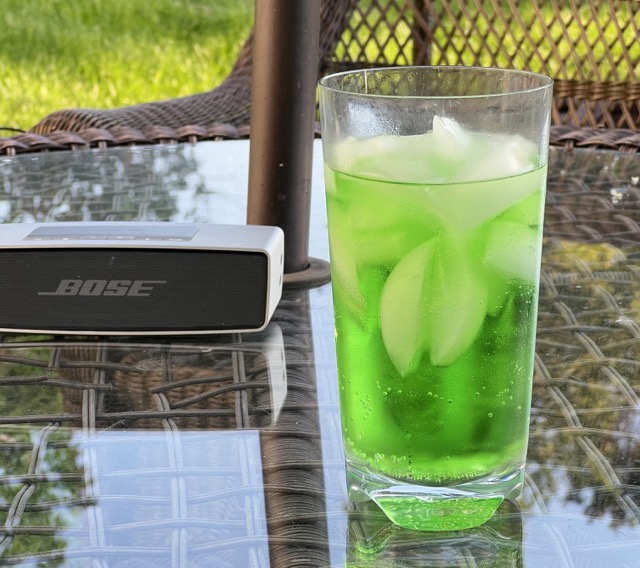
Bluetooth Speaker: Bose has killed the Soundlink Mini a couple of times and it just keeps coming back. I drag mine nearly everywhere except for construction sites, where I have an old Jambox that I don’t care if it gets destroyed.

For podcasting I love my RodecasterProII, but you can now get the Duo which is smaller and has all the features I need so I may do the eBay downgrade at some point to get some desk space back. For microphones I still love the VModa boom best, but with wired headphones slowly vanishing for everyone except hardcore audiophiles, I’ve stopped making Sony 7506 mods and use Beats Fit Pro for day to day, and recommend Shure SM7B for the office/studio.

Music

With all of the family building music libraries and having their own playlists I finally buckled and went all in on Spotify – please add me, I’ve got a bunch of holiday and other playlists, feel free to send me your info. The unintended consequence is that it I didn’t realize how bad Amazon Music in CarPlay was until we switched. The lovely Carin is thrilled that she can easily fire up playlists in the car now.

If you are into DJing or setting up online listening Turntable is back after being gone for nearly a decade. If you want to throw a virtual holiday party this would add the music.

I am thinking about upgrading the PC speakers I use in the kitchen with an Amazon Echo Studio with Subwoofer, I’ll report back if Santa agrees.

Car

I’m messing around with adding CarPlay to our older vehicles. It’s entered the under $200 category and I’m reaching the point where I refuse to have any vehicles without backup cameras. This requires some wiring though so it’s not for the faint of heart. I’ll post more after experiments have run.

Happy Holidays!

I’ll update this as things change, and I hope you have a restful holiday!

Categories
Geek Stuff Productivity Booster

Answering Nerd Gift Questions

It’s the most wonderful time of year! My friends and relatives ask me questions about HDMI cables and memory cards, stuff they want nothing to do with for the other 11 months of the year.

Here’s the most common questions I’ve been getting so that I can just email this link around.

What video game system do I get?

The PS5 is still in short supply, but for hardcore fans of the platform they may not consider anything else. If your gamer is into playing Halo then Xbox may be an option, I would not assume so unless they say so.

I’m suggesting the Nintendo Switch for most people. It’s not as powerful as the previous two but the killer feature is that it is both a console (looks great hooked up to a TV) and can be used as a handheld game (fully portable for creating silence in the car. You’re welcome.)

There are multiple versions of the Switch so it can be confusing. The newest version has an OLED Screen and it’s the one I recommend. The original version is $50 less most places I’ve seen it and that’s not much of a discount for what’s basically 4 years old. The Switch Lite is smaller and cheaper but does not output to a TV which is a dealbreaker for me.

What Do I Need To Buy With A Nintendo Switch?

Games of course. An important point here is you can now choose between buying games from the store in memory cards or just downloading them.

I prefer download because they never get lost. They cards are only the size of a postage stamp and that’s just asking for disaster in my house. If your gamer is a neat and tidy person there is the upside of being able to resell games on memory cards when they are done with them if they like to trade up. For downloaded games that’s the end of the line, you have no access to the used market.

You can buy Nintendo eStore cards all over the place, good games that are new tend to run around $60. Target is currently running a buy one, get 15% off the second on a bunch of video game platform gift cards.

A tip here – our local library network does lend Nintendo Switch games. It’s always great to try them before buying, some games just suck, others can be completed before it has to go back to the library. This can save a huge pile of cash.

Nintendo Switch also has a gaming network, this allows you to play with other gamers online and gives access to a library of a bunch of games from previous Nintendo systems (current Wii games are not in there though.) This is $20 a year for an individual or $35 for the family. This is a cheap way to have a ton of games right from day 1 without breaking the bank.

Nintendo Switch Controllers

The small controllers are the weak point on the platform. They work but they can’t handle the long term abuse that controllers normally get. If your gamer is tough on controllers (like ragequit throwing) a Pro Controller is a required upgrade. It’s very much in the platform gamer standard, strong enough to easily break a TV when tossed and will survive.

I have tried a few upgraded controllers that attach like the stock ones. This Kinvoca Joypad has worked well and not broken as fast as the original. Updated July 2022: I’ve tried two upgraded controllers, one lasted 6 months, the other 9. Forget these, get the Pro Controller.

If you have the original controllers and they are not working, most commonly by “drifting” where things move without you touching the stick, or if you can’t move in certain directions, they can be repaired if you are a little bit handy and not afraid to void your warranty. I have used more than one of these joystick replacement kits that come with all the tools and parts you need.

Get A Memory Card and Screen Protectors

If you are going the downloaded games route you’ll want to add more storage. This is a good memory card.

My kids manage to crack the screen protector every 3 months or so, making screen protectors the best purchase I’ve made with the system, these come in a three pack so we’re never without one.

Smart Light Bulbs and Smart Home

There are a lot of Smart Home Options, we use Alexa for everything since it works with Smart Outlets (Alexa, turn off Christmas tree is a big win.)

Phillips Hue Light Bulbs are expensive compared to the competition but they have a good app and integrate with Alexa. Note that there are bulbs that do different shades of white and brightness and then more expensive ones that can do the full color spectrum. Phillips has a starter kit on sale for the holidays, and my local warehouse club has them.

I have a Google Nest Smart Thermostat, it is only ok. It’s limited if you want to use sensors to adjust the temp by room (at night I want the heat to go on based on the bedroom temp, not the temp downstairs.) If you have one you like please mention it!

TV and Home Theater

This space is crazy, everything has become so cheap. I like buying TVs from the warehouse club (or Best Buy if you still have one close to you) so you can see them to pick, compare, and make sure it fits in your house (also confirm it will fit in your car/truck to go home before you pay.)

TV’s are cheap but the LED revolution has made projectors affordable too. Adding a projector to our living room has changed the game, I don’t like watching the TV anymore and because of the scale it’s better than going to the movies. I’ve already done a post about that if you want to see how I got it together for a screen over 100 inches for less than the price of a 47 inch TV.

Phones

Everyone here is getting upgraded because we are in a rural area and some carriers shutting down 3G is going to be a problem so everybody is getting a 5G upgrade. The real fun here is that I won’t know if this will make life better or worse until we try. It astounds me every day that I live in a town with a top rated liberal arts college and have crappy cell/internet, but here we are.

Headphones, Earphones, Earbuds

There’s a lot going on in this space but the short version is that the Jabra Active Elite 75T are ranked #1 by many review sites and I can agree. Better sound quality than AirPods, great microphones for calls. But, remember there’s no one size fits all, there’s a bunch of reasons why you might want to use something else (number one being not wanting to force something into your ear canal.)

Unfortunately the Active Elite 75T is being phased out and I have not tried any of the new line to know what the best successor is. Right now I would suggest the 85T until the new stuff has been reviewed.

Always happy to talk this topic or…

Trusted Review Sites

I’m a paying member of Consumer Reports for appliances and cars. The Wirecutter is fantastic for trying hundreds of products and recommending the best (Lauren Dragan on headphones!)

Categories
Geek Stuff Productivity Buster

Building a Home Theater for Around The Price of a Good TV

A little more than a month ago a neighbor of mine said “Here, have this projector.” I was astounded at the generosity because having worked virtually for more than 10 years now, the last time I had to get a projector for the office it was around $2,000 to get something that looked decent.

What I missed is that while I’ve been all about LEDs for home and my toolbox, I didn’t realize that they’ve completely changed the projector market too. My brain melted a little bit when I looked this projector up on Amazon and saw it was $90. When it started acting a little weird the company told my neighbor “We’ll send you another one, don’t even bother shipping the wonky one back.” Regardless of the price I was thrilled to get to mess around with a new toy.

The projector was good enough to be impressive in a dark room but our TV was sharper and didn’t require a darkened room, so the trade off of size vs. picture was about even. After a couple of weeks I started to have the same problem with it, not powering up or shutting off randomly so I recycled it but the damage had been done. I had a taste of a huge screen in the house having my own little movie theater was just too cool.

So, here’s where I went from there and links for you if you want to check it out. For the projector I went with this Yaber Y30 ProjectorYaber Y30. It’s 1080p so it’s not going to compare to a 4k image (4k projectors currently starting at $1,200) but it currently retails around $200 and it went on sale with a coupon for $150 and then I had some Amazon credit so I got it for $100.

What really got me and Carin was that we had an open wall large enough to hit a sweet spot. It was like having a 110 inch TV and it was a magic point. At that size, in many movie scenes the characters were “Actual Size.” It wasn’t like TV where you focus on the actors and that’s really where your brain is, or that it was a movie screen where everything was huge. It was like looking into the next room. It hit us in a restaurant scene where were we listening to the actors but it felt like we were in the same restaurant.

I have a few speaker sets around and I was trying to see what I could make work but realized that with a Soundbar that supports Bluetooth, Apple TV could connect and then I’d only have to plug it in, I wouldn’t have to run any wires across the room (or drill into the floor which is the only safe thing to do.) Bose TV SpeakerBose had their TV Speaker as a refurb for only $150 (sorry, looks like it’s gone up a bit) and it’s good enough for the small room. The wall mount was separate but this Amazon one is a better deal than the official Bose.

For the wall we are projecting on silver is the color you want (I naively thought it would be white, but that ends up being too bright.) Home Depot sells it and I got it online but it took about 10 days, I don’t know if they can mix it on site. A gallon was $60 and that was a huge mistake. We will do the whole room with it but if you are only doing one wall I did two coats and some touch up and I barely made a dent in the bucket.

The only thing I went full retail on was the Apple TV. Years ago I gave up on the whole media server thing and just went all in on Apple. Movies, music, TV shows, phone apps, it’s all in their cloud. I’m trapped there and it’s not cheap, but I don’t have to do any work to maintain anything. I throw the hockey puck in the bag with an HDMI cable and we can go anywhere with our media library.Apple TV

And you can see the three remotes, which is a pain, but the good news is that the Logitech Harmony programmable remote runs the TV and stereo in the same room, and I had enough open devices (limit 8) that I was able to add it all. So I hit the movie screen button and the projector, speaker, and Apple TV all fire up. The Harmony is fantastic but it can be a pain to program, I suggest using the PC/Mac App to program it, the phone apps seem to crash when under heavy load. Here’s a link and it should be $149 but it seems that perhaps too many people have gotten into smart remotes during Covid so they are out of stock and folks are tacking on an extra $100 if they have them.Harmony Remote

Since the projector is blocking the top of a window I went with cable runs, which are plastic tracks you can wall mount and snap on the cover so the cables are out of sight. With a white run on the window molding it’s difficult to even spot. Cable Run on Window

Here’s the image, and this is in the middle of the afternoon with the room half darkened:Screen

One thing I learned more about than I wanted to was ceiling mounting and image keystoning. Many projectors have keystone correction, the ability to correct the image if the projector is too high or low, or even not straight on. My first thought was to mount the projector up on the ceiling so it was totally out of the way of the window. After I set it up and went through the keystone correction (you just hit a couple buttons until the image is straight on all sides again) it was obvious that you pay a price in image sharpness by doing it. It was still watchable but out of focus in the areas where the light was traveling the farthest to hit the wall. I’ve learned that this is one of the things that make the $10,000 commercial projectors what they are, for big bucks you can keystone correct and still look great. For my budget… not so much.

So, much to Carin’s chagrin (drilling another 4 holes in the ceiling) I ordered another mount, this one with an extension arm, so that the projector was shooting straight at the wall at the right height. This was kind of a pain, but she did admit it was worth it when we fired up the next movie.

The good news with this is you can tell people are screwing up the mounting job all the time and so Amazon has no shortage of open box specials. I got the first ceiling mount for $5 down from $20, and the second with the arm for $10, down from $35.

So end of day I’m going off to the movies to see the new Star Wars stuff on Disney+ and with my random coupons and credits I got there for around $470, which is almost exactly what we paid for our TV about 3 years ago. I recommend it to any TV, movie, concert or sports fan!

Categories
Geek Stuff

Sony 7506 Ski Helmet Mod

Updated: Of course 3 minutes after hitting publish I realize the better headline is “Audiophile Ski Helmet.”

It’s so funny that I have a post today, almost exactly one year from my last one! Of course the last one was that I had finished the book project so that’s a pretty decent excuse to stop writing but that’s not the case, it’s just that the blogging I’ve done has been over at my work site – Trust Insights. For martech folks check out this series on lead scoring, attribution, and machine learning for attribution!

Longtime readers know that I’m a huge fan of the Sony 7506 headphones, and I mod them for podcasting and webinars with a removable mic – the ubergeek special Johnny Headphones.

This winter I decided that I wanted to upgrade from my Bose Sport Headphones and started looking into other options. Taking sport headphones in and out is a hassle and I wanted to see if I could get both better sound and less isolation (being able to hear what was going on around me better) as I’m chaperoning my kids and a couple others after lesson time is over and I need to know who is yelling, and more importantly why.

I was new to helmets when I came back to skiing 4 years ago after only going out a handful of times over the past 15 years. At first I thought I would hate them as it’s a lot like motorcycle riding, although it’s moronic in terms of risk management there’s nothing like the wind coming at you high speed to feel like you’re truly free.

What I was not expecting is that the helmet is the perfect combination of super warm, and yet still with enough ventilation to stay comfortable. I was not expecting a helmet to be warmer and more comfortable than any ski hat I’ve ever had. I’ve had a ton of hats and the very best, I would charitably rate as half comfortable. And projecting my skull from impact is a wonderful side benefit.

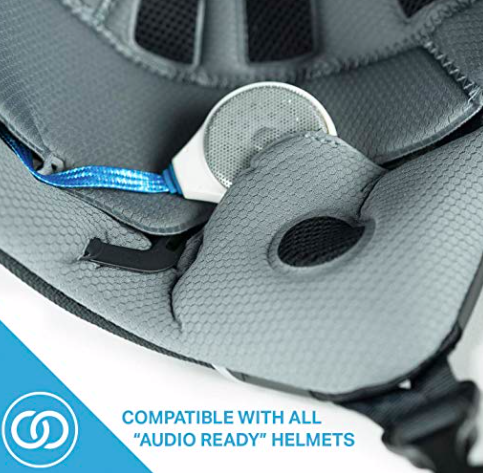
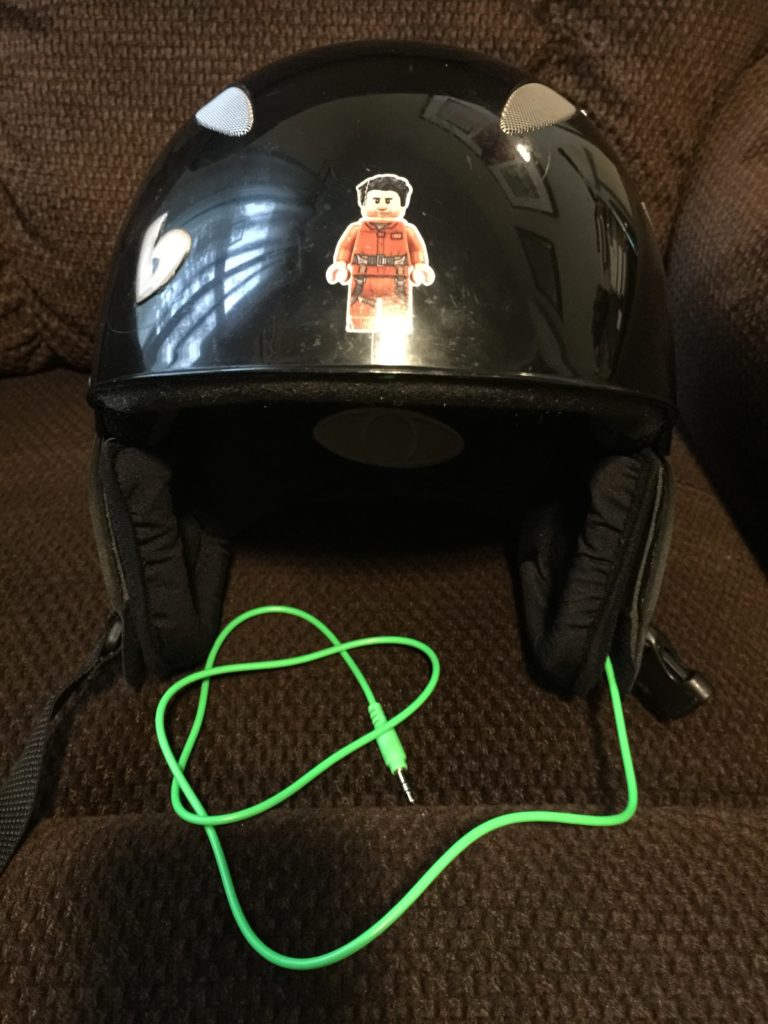
After a bit of researching I learned that many ski helmets, like the Boeri I got a great deal on at the local ski sale, are made with velcro pockets over each ear so that you can drop in a speaker solution like these Alta Wireless Bluetooth Helmet Drop in Speaker Chips:

As you can see it’s pretty simple, just drop them in and go.

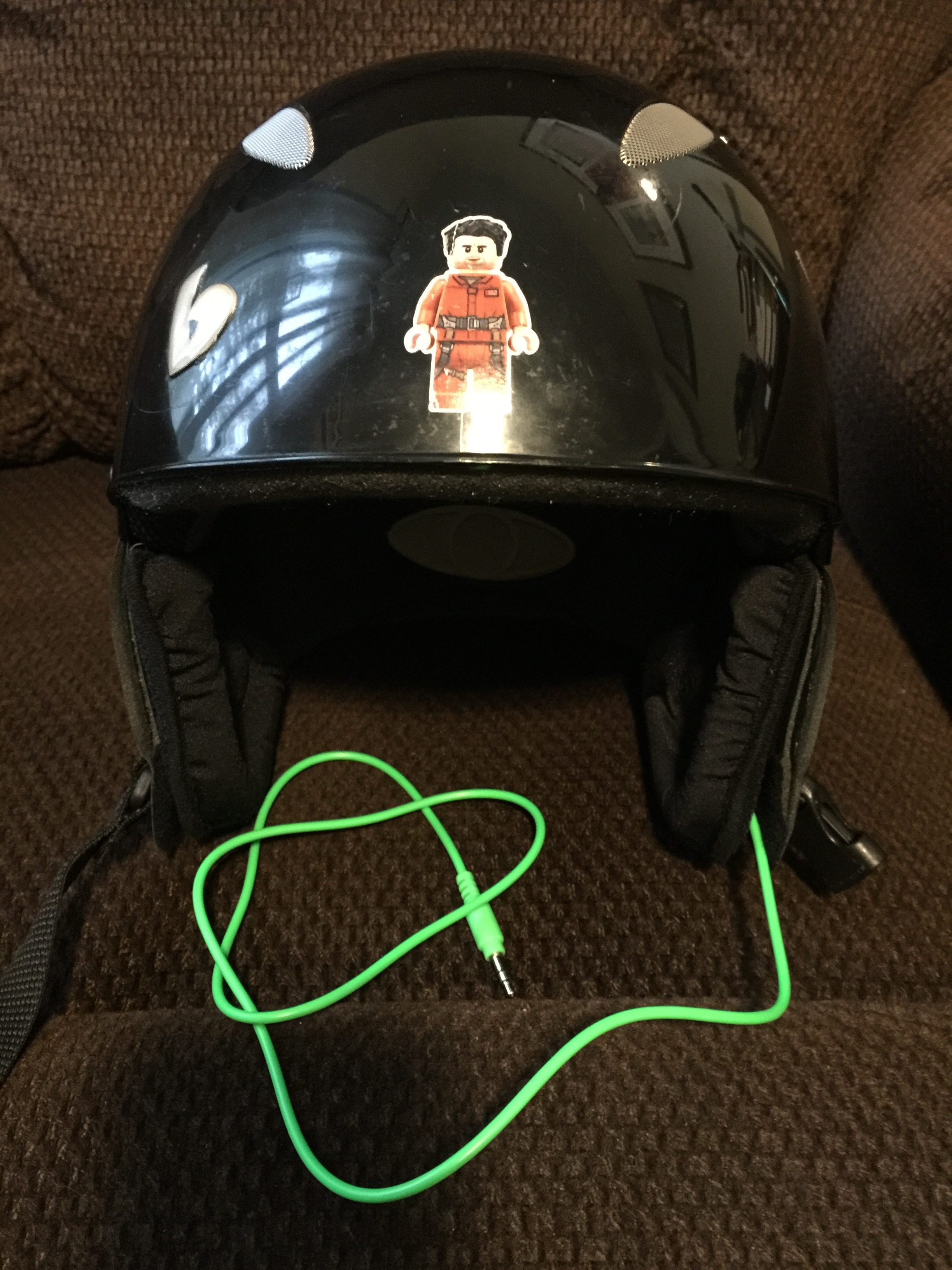
But, in the process of learning how to mod the 7506 I had a bunch of parts lying around and decided to build my own. There were three benefits to this: first I prefer wired, while bluetooth no wires is a wonderful thing, the freedom is offset by even one day of arriving at the mountain and realizing I forgot to charge my helmet. Second I was pretty sure I could do better sound wise than anything else out there, and so far I haven’t tried anything better (although there is a helmet that has a perfect cutaway so that it includes a real full set of over ears with headband, but I wasn’t about to go that route because of reason three – I already had the parts so this was “free.” It as pretty straightforward:

  • Take apart the 7506s with Phillips head screwdriver
  • Cut all wires, leaving enough for me to see which color goes where (note that the left side that has the jack has 3 points to solder to while the right only has two)
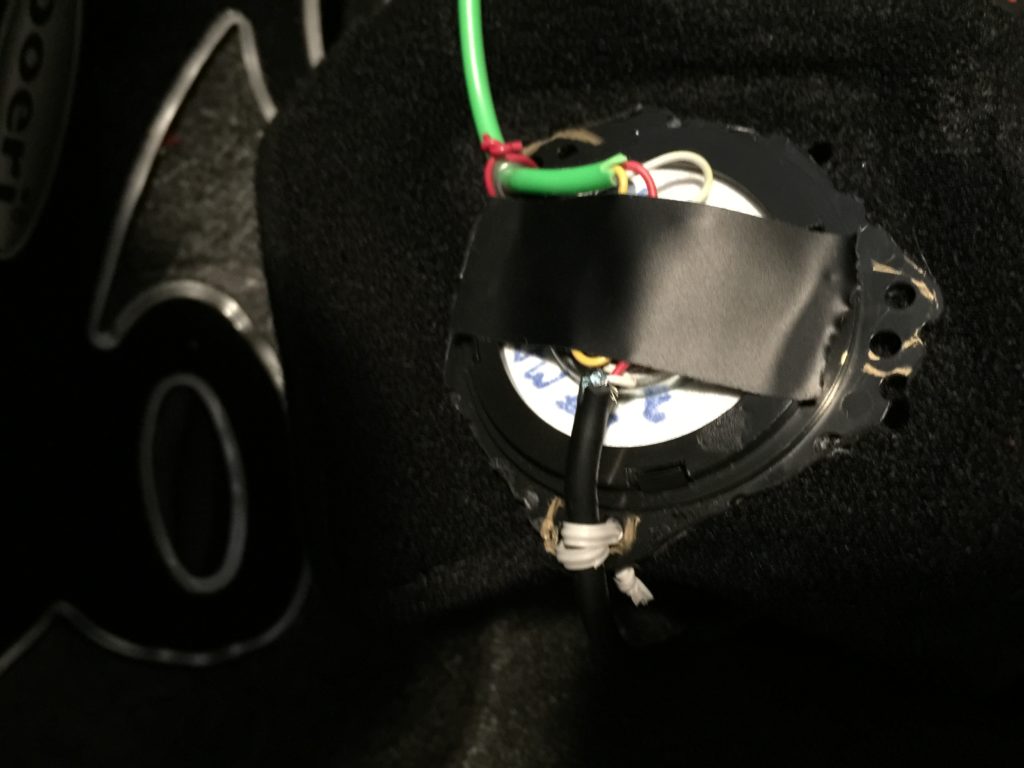
  • Use the Dremel cutter to cut around the plastic plate that holds the driver, and then the Dremel grinder to take off all the rough edges
  • I had an old patch cord that I soldered to both to connect the left to the right driver. The cord fits between the styrofoam and the outer plastic shell of the headphone so it’s completely out of sight running around the back of my head.
  • Plastic twist ties are perfect for securing the cables to the plastic driver plates after soldering, cut the plate leaving pairs of holes that you can run the plastic twist ties through to bind down the cables so they don’t move (cable 1 connecting left to right, cable 2 long enough to run down to my jacket pocket and terminating with a 3.5mm tip which plugs into my iPhone 6 (until next week when my iPhone X arrives!!!)
  • Note that many ski jackets have a loop along side the zipper for cord management and may also have a button hole so you can run the cord into the pocket from the inside. I have both so even though I went all fancy with a Neon Lime cord, you can’t see it at all if I have my jacket zipped all the way up so that it covers the bottom of the helmet ear pads.
  • This bullet and the next two are critical for sound quality – I used another twist tie to connect the driver plate to the ear cushion that attaches to the ear flap. I tried just having it float in the pocket but sound quality can vary dramatically if it moves too high, anchoring it with the twist tie solves this (and be sure the driver is facing into your ear, not out, that was a moronic mistake I made once.
  • Because the 7506 are closed back headphones I found out that by adding a Beyerdynamic driver cover (a piece of foam with velour on one side that normally covers the driver to protect it from your greasy ears) not over the driver but behind it to reduce the amount that bleeds outside the ear flap dramatically increased the sound quality. At this point in the testing I started smiling as the sound quality was fantastic.
  • The third improvement was learned by testing – having the chin strap connected and tight is critical, the better the seal on the ear flaps the better the bass, so much so that if it’s snug the whole helmet will bounce a bit when you his some big bass.

I also covered the solder points with electric tape to reduce the risk of shorting out in case it gets wet, or catching fire against the foam. With that said, if you are going to try this at all let me be clear:

You are violating your warranty, odds are it will light on fire, short out and destroy the headphones and probably kill you. I’m straight up telling you that in no way should you try this, if you are crazy enough to still try remember that I told you it would never work and best case scenario is you dying quickly.

With the disclaimer done here’s some photos:

Driver soldered, cables secured and covered up
Finished project

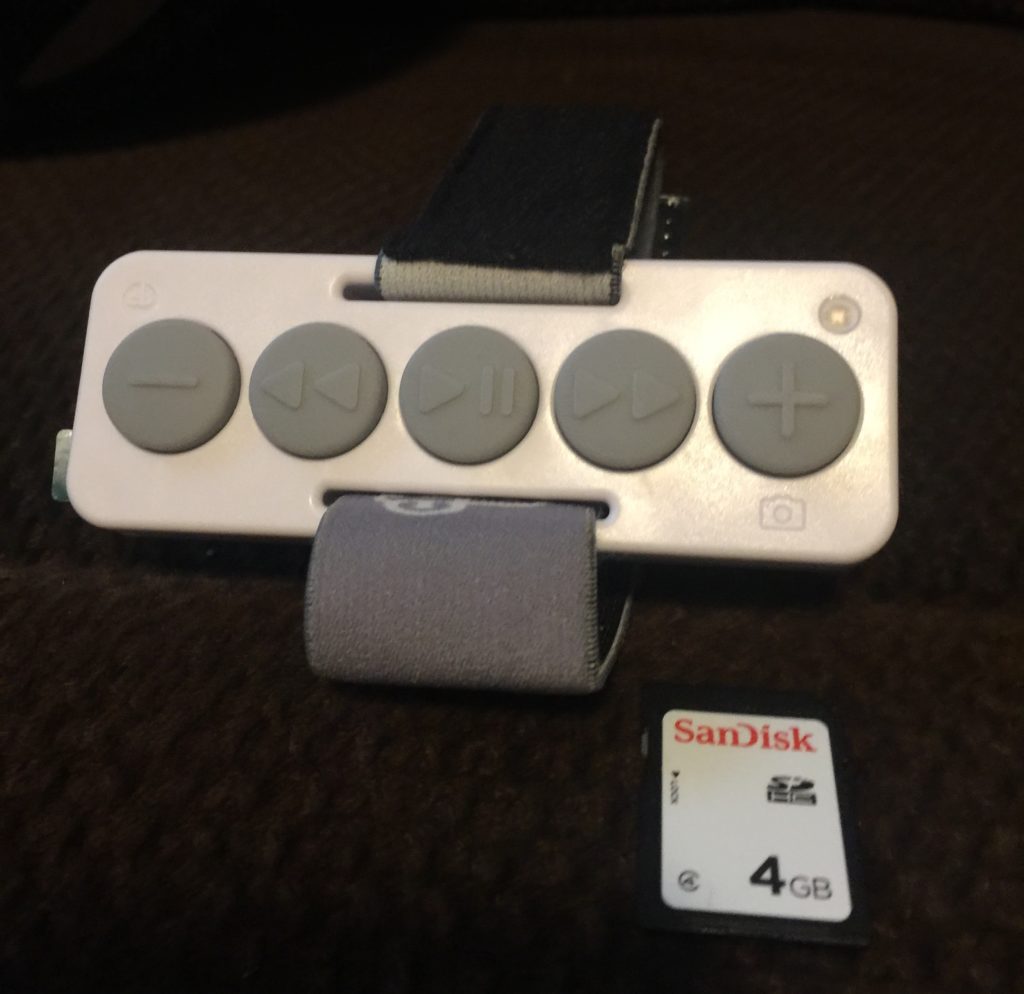
One last thing, using your phone or the normal buttons on the average headphone cable is mostly impossible. While searching I came across Chubby Buttons – a bluetooth controller for your music (and the watch battery lasts a season, no recharging.) It’s not cheap, around $60 but it is fantastic, I highly recommend:

Chubby Buttons

Ok, start building some playlists!

Update:

After field testing I thought the sound was only ok. Then this year I added the EarStudio ES100. It’s a Bluetooth Adapter, you can plug in any wired headphone and now it’s Bluetooth. The big win here is that it also has a full EQ app. So while the sound used to be pretty thin (unsurprising make a closed back headphone open back) as soon as I switch the EQ to the setting I use to make earbuds sound better it was fantastic. I can now recommend this rig whole heartedly.

Also one other update, Chubby Buttons 2 have been released. Same link, same thing but you can now access smart assistants so no more pulling out the phone to read text messages. I’ll update when it gets here!

Categories
Geek Stuff

$4k Worth of Headphones

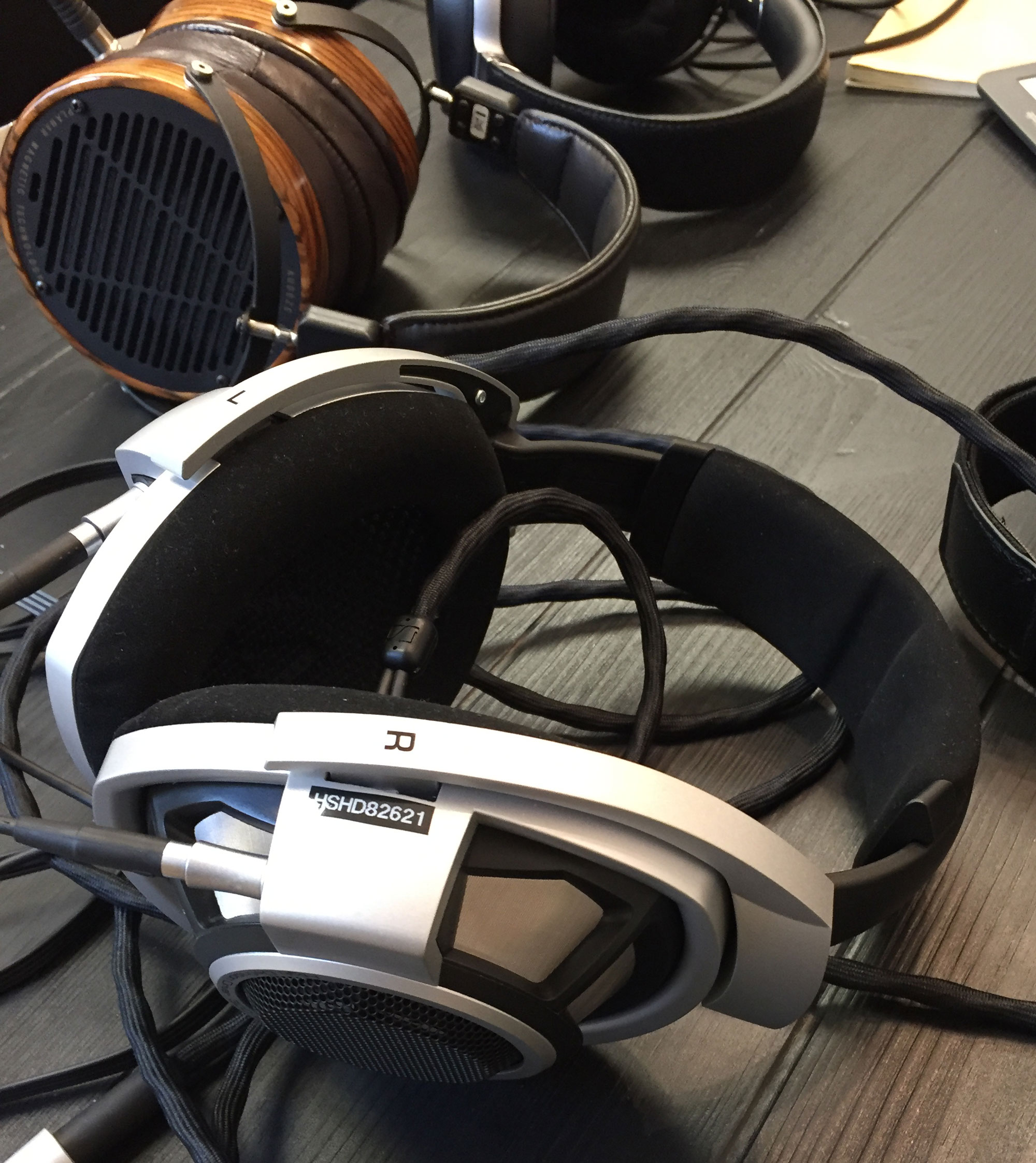
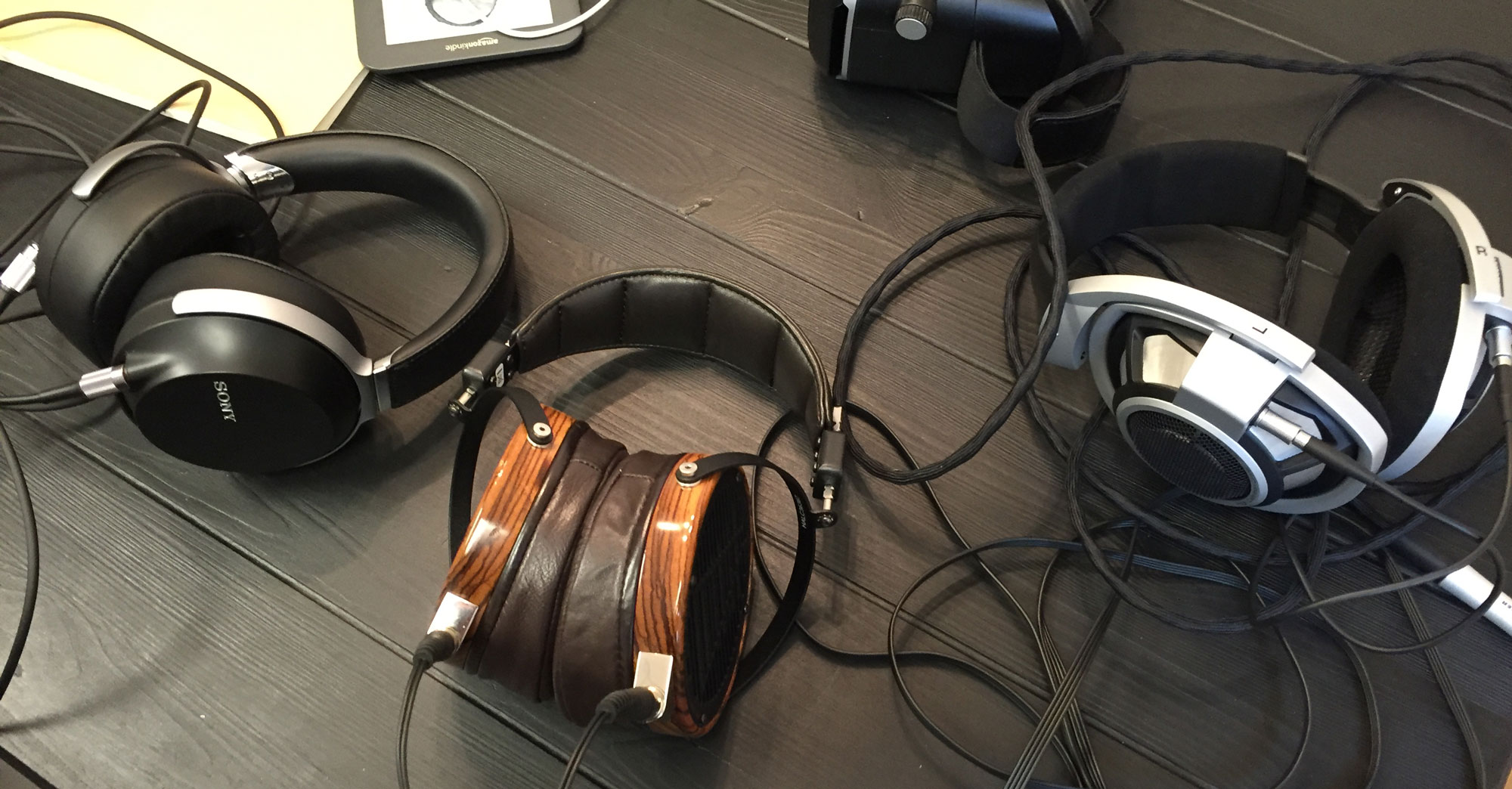
About four months ago a friend forwarded a link to Lumoid.com who now rents high end headphones (sadly, Lumoid is no more). It had just been covered in Lifehacker or one of the other high profile blogs so it took until last month for my order to come up. For $75 I had two weeks with three top shelf headphones:

  • Audeze LCD-3 ($1,945)
  • Sennheiser HD 800 ($1,599)
  • Sony MDR-Z7 ($699)

Of course for the majority of the time they were hidden in my closet so that my kids wouldn’t look at them

Audeze Sony Sennheiser
Our Contestants!

or breathe on them. I also waited on writing this up until they were safely back in the Bay Area in case anyone considered doing an Ocean’s 11 heist with me actually having something of value in my home.

If you’re in a hurry, the punchline is: I don’t think spending this much money on headphones is worth it. Yes, 2 of the 3 sounded amazing, but maybe 5% better than my Sony MDR-V6 headphones that cost under $200. For those still wondering what $4,243 (+tax, +shipping & handling) gets you…

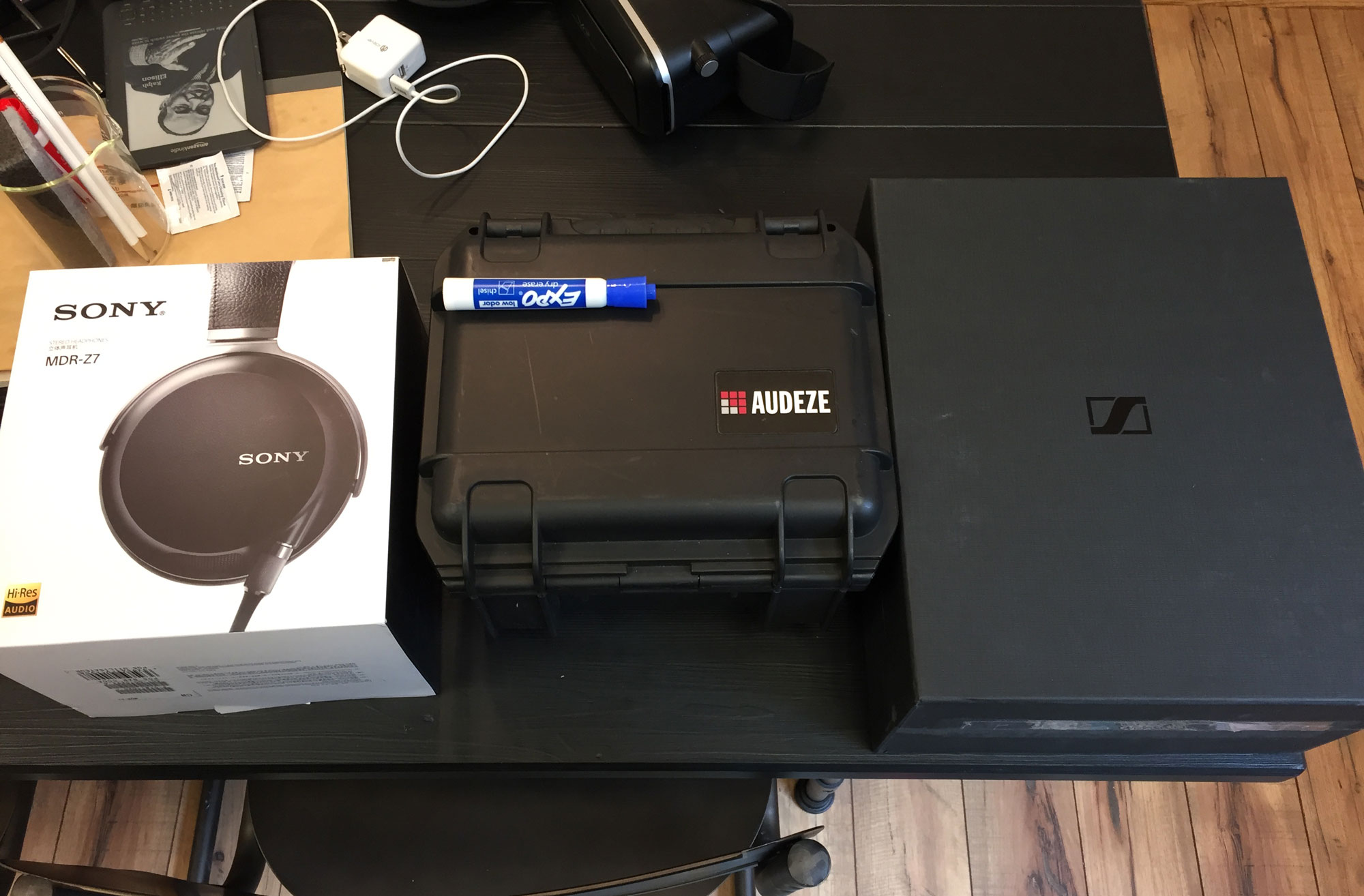
boxes
Click for full size

As you’d expect from headphones this expensive, the boxes were impressive. The Sony and Sennheiser were similar, opening like a trophy case. The Audeze come in a plastic travel case, like the kind you’d use to transport a monitor to a trade show. Basically about half a piece of luggage, leading to the first lesson – this is not stuff you travel with.

Note that the Audeze and Sennheisers are open back headphones, the ear cup is vented so air flows in and sound flows out. These give them a much more natural sound, as if you are in a concert hall, but it means that on a noisy subway you’ll hear the train, and the passengers will hear your music, so probably not a wise choice.

All three of them have proprietary cables with unique connections to the headphones. The Audeze and Sony’s plug in and then are screwed down to prevent them being pulled out. The Senn’s have some crazy mount with a pin that makes them only insertable in one position. The Audeze come with an XLR cable so you can have a balanced connection, which is supported on some high end gear. A balanced connection means that the signal is sent down two wires, inverted on one of them. It’s ingenious, when the inverted one is restored any interference picked up along the line cancels itself out. Of course I’ve never personally seen someone using a balanced connection to listen to music, but you could say that’s just because I hang with a low rent crowd.

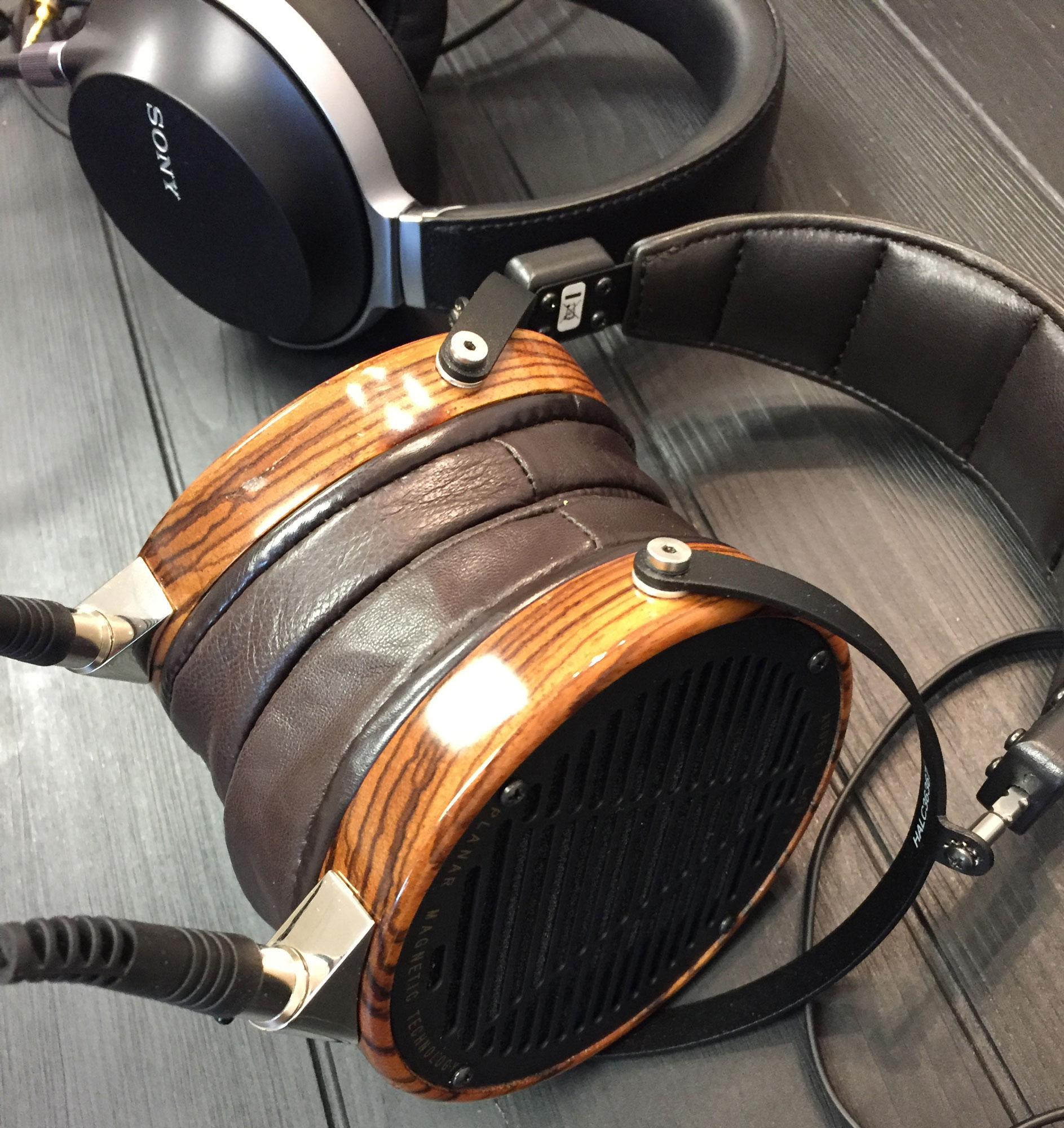
Audeze LCD-3
Audeze LCD-3

Over the past couple of years I’ve come up with a number of theories on headphones, one of them being that fit and comfort are more important than any specs or technical analysis. It doesn’t matter that the Audeze sound better than anything I’ve ever listened to, I don’t want to wear anything that heavy so I wouldn’t buy them even if I was sitting on a pile of cash I had no use for. The Sennheisers also sound amazing, and are very light and comfortable. But I’ve also been impressed with the Sennheiser HD 558 which you can currently get a used set on Amazon for $64. Yes I would say that the HD 800 is two or three times better considering the sound, fit, weight, and quality. Paying 25 times the price for it? Personally, the value is not there. Factor in losing or breaking a pair now and then and the economics get uglier quick.

I did not like the sound of the Sony headphones compared to other Sonys I’ve heard. Usually they have a very clear mid range and high end, and this pair did not. This comes to another point about my review, the case could be made that listening to uncompressed digital files via a Dragonfly DSP and a Meridian Explorer 2 is not the same as spending $10,000 on an amp to drive these headphones to the extreme. I admit that this could be true, but that throwing down another $10,000 is not going to tilt the odds in the headphones favor in my value equation.

In closing, I won’t be dropping a boatload of money on headphones, but I would not hesitate to rent from Lumoid again. They also rent photography gear, and fitness wearables, two areas where you definitely want to try before you buy.

For past writing on audio start here.


Categories
Podcasting

Beefing Up Audio

I’m just posting this because I listened to a Tim Ferris interview with Tony Robbins this week and it doesn’t do well in the car or while running because of the mix. Tim has a page where you can submit comments and I wanted to post a sample to show what I’m talking about.

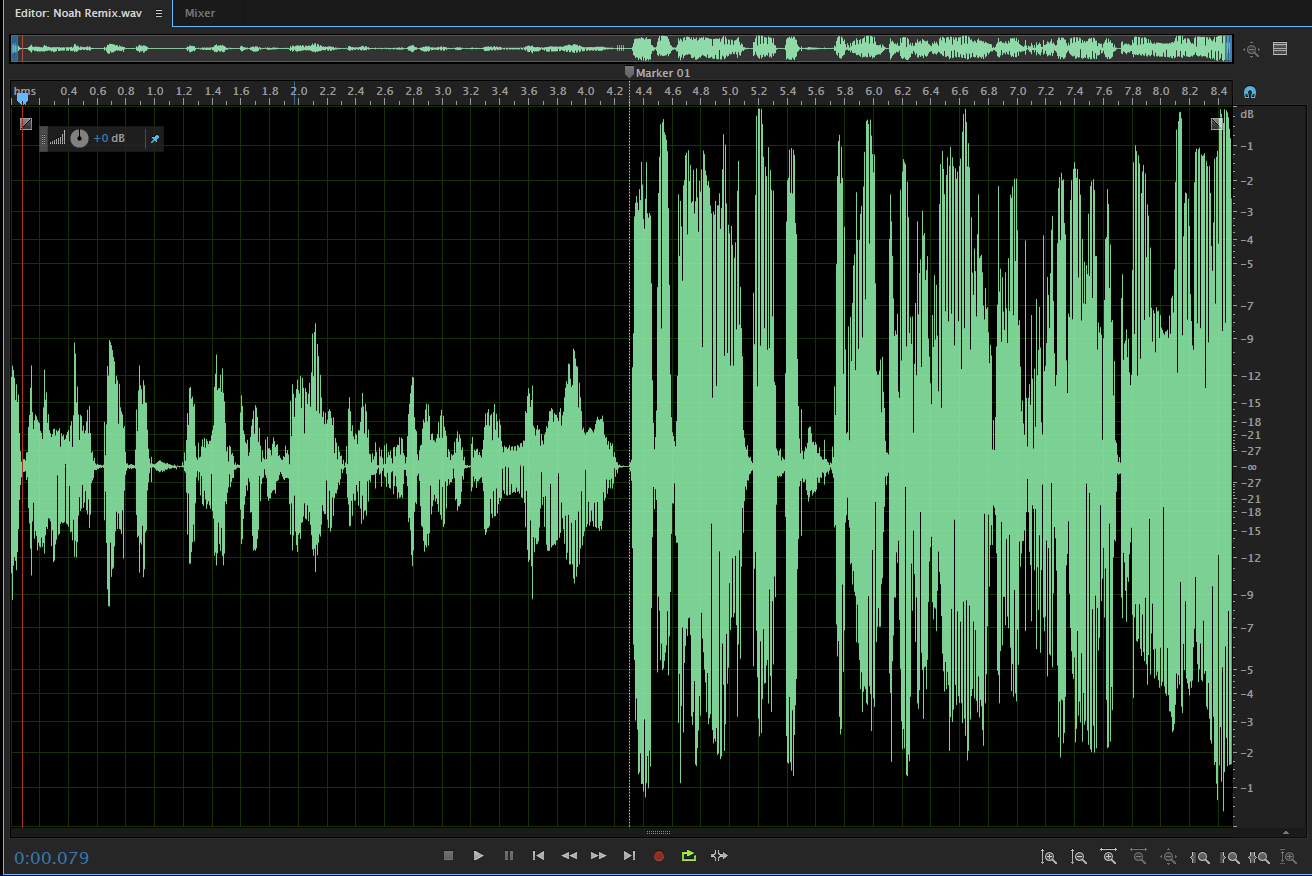
For anyone podcasting here are two simple things that can significantly improve your audio. Here’s a screenshot of an audio wave:

Audio Graph
Sound Wave Before/After

You can listen to this audio file here:

If you cut the picture above in half, the left side is the “Before” and the right side is the “After”. On the left side the recording is not taking advantage of the power available to it. In other words, you are going to have to turn the volume up twice as much compared to the average song, or audio cues on your phone. These are the situations where you turn up a podcast and then when you get a text message, or your running app cuts in to tell you how many miles you are at, it blows your ears out.

Now there’s an entire profession dedicated to mastering audio – making it sound great and taking into account the devices it will be played on. I am by no means an expert in this area, but I can give you two simple things to at least get from annoying to sounding closer to an NPR podcast:

The Levelator is a free tool that will adjust the entire file so that it uses most of the dynamic range. This includes fixing where one person is louder than the other. All you do is drag and drop your file on to the window and it spits out a second file that sounds better.

Soundsoap is not free but does a great job at reducing background noise and can also add some Barry White to your sound. If you realize that the air conditioner or other stray noise in the background is annoying this can make a huge difference.

Enjoy!


Categories
Podcasting

Stu-Stu-Studio

Jason Keath posted about building a home studio on Facebook and asked if I would throw in my two cents. Jason is a mensch and I realized that my comment would be one of those annoying five page Facebook comments so it was much easier to write an entire manifesto here.

I probably know about 5% of what you need to know to build a studio, but that doesn’t matter because there are two easy options. Either call Parsons Audio and spend the money or talk to some podcasters who are always experimenting with cheap stuff, which is often pretty good thanks to the current level of technology.

First things that come to mind:

Do you really want to build a studio in your house and lose a room? Renting allows you to not have weirdos in your home, will sound fantastic, and means that you won’t have the UPS guy ringing the doorbell or the General Lee driving by honking the dixie horn. It’s also just like the gym, when you go you will get the job done, if the equipment is in the house it will probably end up as a clothing rack. On the other hand, the big upside is setting up a bunch of stuff and then never having to take it down. Let’s say you’re sold on that. Most people I know have an office and create a studioffice. Or maybe an officudio. Or something.

Noise kill: John Federico makes a great point about Dynamic vs. Condenser mics – I’ve found it easier to use dynamic mics in a room with carpet and some stuff on the walls than trying to make sure everyone is out of the house and gluing up foam egg crates. Capturing the room noise before and after recording and then using Soundsoap hides a huge array of sins.

Who’s doing the talking? If you have four people around the table with some microphone technique, then nice mics and headphones are great. These Sony headphones are good enough that if someone doesn’t like them you can yell “BRING YOUR OWN DAMN CANS.” Shure SM58 is a workhorse for a microphone, but if you want similar guts but a lot cooler looking, the Elvis Mic fits the bill.

The thing here though is if they are not broadcasters it may change things – for podcast guests sometimes a lavaliere mic is great because  public speakers who move around a lot may not always be in front of the mic (off axis), or worse yet tap or kick the table (why you see the 10,000 pound tables in the studio). An old NPR trick is to have a lav mic on the brim of a baseball hat, the placement works and you don’t have to mess with people’s clothes.

Also on furniture – finding chairs that don’t creak is important. Metal submarine style chairs are an option, although standing up or having a barstool can improve vocal projection for the group.

I like to keep a computer out of the equation for panel discussions (although the fanless Macbook may change that). I run a Mackie mixer into a Marantz digital recorder, it’s been solid for years.

Of course then you’ll start thinking that you might video some of it so that requires cameras and light….